A Practical Guide to Responsible AI in Small Workplaces
Why small teams need their own AI guardrails
Generative AI tools are increasingly accessible, and small teams are experimenting with them for tasks like drafting emails, summarising documents, or generating simple reports. The appeal is obvious: low cost, quick setup, immediate productivity gains. But the same features that make these tools useful also introduce risks that are easy to overlook when you are moving fast. A small workplace may not have a dedicated compliance officer or a legal team, yet the need for responsible deployment remains the same. The good news is that a handful of practical checks can help any small team use AI tools with confidence.
This article outlines a set of straightforward checks that fit the pace of a small team. They are not meant to replace formal governance frameworks where those exist. Rather, they serve as a starting point for anyone building or deploying a simple generative AI application, especially in a classroom or workshop setting where the goal is to learn by doing. The focus is on everyday decisions: what data goes into the model, how the output is used, and who has a hand in running it.
Start with a quick risk assessment
Before you let a generative AI tool touch any real work, take ten minutes to ask what could go wrong. The point is not to list every possible failure but to identify the ones that matter for your context. Is the tool handling customer names or internal notes? Could a wrong output cause confusion or a bad decision? If the answer to any of those questions is yes, you have a risk that needs a check. A simple approach is to rate each use case as low, medium, or high risk. Low risk might be drafting a public-facing newsletter where a human reviews every word. High risk could be generating a summary of sensitive information that goes into a client-facing report without a second pair of eyes.
Set clear access control
Not everyone in a small team needs the same level of access to the AI tool or its underlying data. Access control sounds like a large-enterprise concern, but it is just as important when the team is four people. The principle is simple: give each person the minimum access they need to do their job. If the tool stores prompts or logs outputs, think about who can see those logs. A junior intern might need to generate content but should not be able to view everyone else's prompt history. Most team collaboration platforms allow you to set roles and permissions. Use them. It takes five minutes and prevents a world of trouble if sensitive information ever leaks into a prompt by accident.
Watch for bias in the output
Generative AI models are trained on vast datasets that contain all kinds of human bias. When a small team uses a model out of the box, it can reproduce stereotypes or skewed perspectives without anyone noticing. The fix is not to avoid the tool but to build a habit of checking outputs for patterns that seem off. Does the model consistently describe certain roles as male or female? Does it present one viewpoint as fact when the topic is contested? These are signs that the model's training data has biases that might not match your team's values or your audience's expectations. A good practice is to rotate who reviews the outputs so that different perspectives catch what one person might miss. Over time, you will learn which types of prompts tend to produce biased results and can adjust your approach accordingly.
Keep sensitive information out of prompts
One of the most common mistakes small teams make is copying and pasting sensitive information directly into a prompt. It is easy to do: you have a customer email with a complaint, and you want the AI to draft a reply. But once that information enters the model, you lose control over where it goes. Even if the tool's privacy policy says data is not used for training, the act of sending it outside your organisation is a risk. The safer approach is to anonymise any personal details before pasting them into a prompt. Replace names with placeholders, remove account numbers, and avoid quoting entire messages verbatim. If the task is to summarise a document, consider whether you can describe its content in general terms instead of feeding the whole file into the model. This habit alone prevents most data privacy incidents in small teams.
Build in human oversight for every output
Generative AI is a productivity aid, not a decision-maker. Every output that leaves the team should be reviewed by a person who understands the context. This is not about distrusting the tool; it is about acknowledging that the model has no understanding of your business's specific constraints, tone, or audience. A draft email might be perfectly grammatical but completely wrong in tone for a long-time customer. A summary might omit a key detail that changes the meaning. Human oversight does not need to be elaborate. It can be as simple as a checklist: does this output match the facts? Does it sound like us? Does it include any language that could be misinterpreted? The person doing the review should have the authority to reject an output and ask for a rewrite. Over time, you will develop a sense of which types of outputs need more scrutiny and which are safe to use with a quick glance.
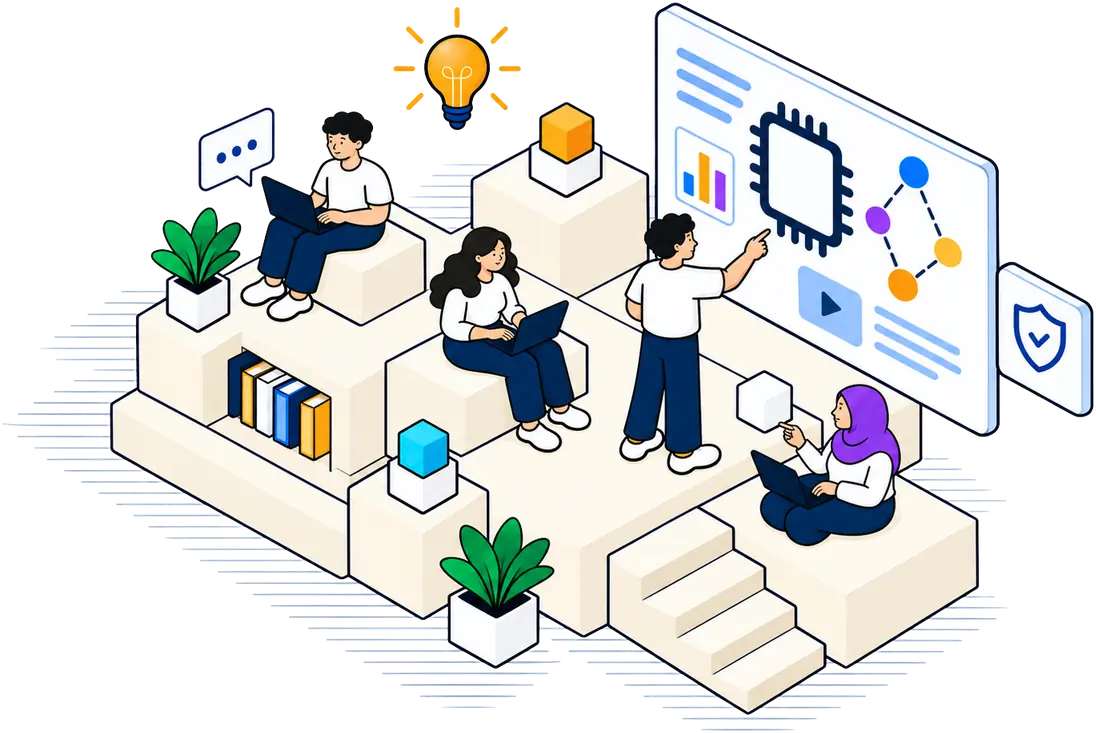
Integrating these checks into a routine is what responsible AI training looks like in practice. It is not a one-time exercise but a set of habits that grow with the team. For a small workplace, the goal is not to eliminate all risk but to manage it in a way that matches the scale of the operation.
Monitor outputs after deployment
Once a generative AI application is in use, the work does not stop. Outputs can change over time as the model is updated or as users find new ways to prompt it. Set a simple monitoring routine: check a sample of outputs each week, and log any that seem off. If the tool produces something that makes you uncomfortable, note what the prompt was and what the output said. Over a few weeks, patterns will emerge. You might discover that a certain type of request consistently produces poor results, or that a particular user is pushing the tool beyond its intended use. Monitoring does not require fancy software. A shared spreadsheet with columns for date, prompt, output, and reviewer notes can be enough. The important thing is to act on the patterns you see. If the tool is drifting, adjust the prompts, retrain the model if you have that option, or review the access controls you set earlier.
Make it a team conversation
Finally, responsible use of AI in a small workplace is a team conversation, not a top-down rule. When everyone understands the risks and the reasons behind the checks, they are more likely to follow them. A short team session where you walk through each check and discuss real examples from your own work can be more effective than a long policy document. Ask the team: what worries you about this tool? What would make you more comfortable using it? Their answers will often reveal blind spots you had not considered. This kind of open discussion is a form of responsible AI training that builds shared awareness and collective ownership. It turns a checklist from a bureaucratic hurdle into a practical tool that everyone supports.
The checks described here are not exhaustive, but they cover the most common pitfalls that small teams encounter when adopting generative AI. By starting with a risk assessment, controlling access, watching for bias, protecting sensitive information, reviewing outputs, and monitoring over time, you can use these tools with confidence. The goal is not perfection but progress: each small step toward responsible use makes the next one easier.